logo

블로그 에 대한 How to Prevent Amplifier Board Overheating: Causes, Warning Signs, and Proven Cooling Solutions

인증
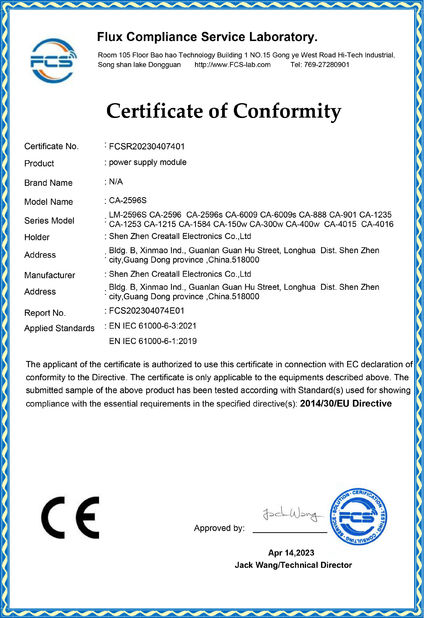
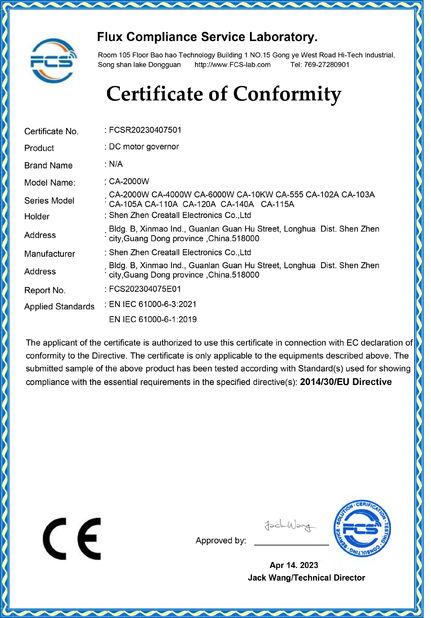
중국 Shenzhen Creatall Electronics Co., Ltd. 인증
고객 검토
좋은 공급, 상품으로부터의 좋은 제품은 잘 일하고 있고 내가 다시 명령할 것이고 당신에게 감사합니다!

—— 경품 라동시

나는 판매원이 매우 도움이 된 모든 것이 공명 정대하게 행해진 시간에서 잘 소포를 받았습니다. 제품의 품질은 매우 좋습니다. 나는 다시 그들과 거래하기를 주저하지 않습니다.

—— 어쨌든 비올라

완벽한 타이밍 엔 통신은 판매가 지원하는 후에 계속 완전한 제품 정보에 완성합니다 출하 시간에 완전합니다

—— 이즈마일 카미스

그래서 상등품 모듈은 판매자에 의해 제공됩니다. 그리고 또한 대응하여 매우 빨리 통신하도록 쉽습니다.

—— 사야니크 만달

좋은 것 매우 책임이 있는 크리어톨로부터 서비스하는 것! 정말 고생 많으셨어요! U와 사업을 가지도록 좋습니다

—— 에릭 세티아완

제가 지금 온라인 채팅 해요
회사 블로그
How to Prevent Amplifier Board Overheating: Causes, Warning Signs, and Proven Cooling Solutions
에 대한 최신 회사 뉴스 How to Prevent Amplifier Board Overheating: Causes, Warning Signs, and Proven Cooling Solutions

Why Amplifier Boards Generate Heat

An amplifier board's job is simple in principle: it takes a small input signal and makes it powerful enough to drive a loudspeaker. The catch is efficiency. No amplifier converts 100% of its electrical input into sound—the remainder is released as heat. In Class A and Class AB designs that leftover energy can be substantial, and on a tightly packed board it has nowhere to go. Even efficient Class D boards produce heat when they push high power into low-impedance loads for long periods. When heat builds faster than it can escape, component temperatures climb, performance drifts, and the board eventually fails.

The Most Common Causes of Overheating

  • Undersized heatsinks. A heatsink that is too small for the delivered power simply cannot move enough heat away from the output devices.
  • Poor thermal contact. Missing, dried-out, or unevenly applied thermal paste traps heat at the junction instead of transferring it to the heatsink.
  • Obstructed airflow. Enclosures with no vents, filters clogged with dust, or fans mounted the wrong way starve the board of cool air.
  • Impedance mismatch. Driving speakers below the rated impedance draws more current and dramatically increases heat output.
  • Continuous high output. Running near maximum power for hours on end leaves no thermal headroom for peaks.
  • High ambient temperature. A board rated for 25 °C will run much hotter inside a hot rack or a sealed cabinet.

Warning Signs You Should Never Ignore

  1. Heat you can smell — a hot, resinous or burning odor is the clearest early warning.
  2. Thermal shutdowns where the amplifier cuts out and recovers after cooling.
  3. Distortion or crackling that appears only after a few minutes of play.
  4. Discolored or blistered PCB around the output devices and power resistors.
  5. Swollen capacitors or heat-stressed solder joints near hot components.

Practical Ways to Prevent Overheating

Problem Practical Fix
Weak airflow in the enclosure Add intake and exhaust vents, use a quiet 12 V fan with a dust filter, and keep vents unblocked.
Heatsink too small Upsize the heatsink or switch to an extruded one with a larger surface area and taller fins.
Dry thermal interface Reapply a thin, even layer of quality thermal paste; use silicone pads where isolation is required.
Running below rated impedance Match speaker impedance to the board's specification and avoid paralleling speakers carelessly.
Sustained full power Leave 20–30% power headroom and avoid long sessions at maximum gain.

Choosing the Right Heatsink and Thermal Interface

As a rule of thumb, allow roughly 1–2 square inches of heatsink surface per watt of continuous dissipation, and more in enclosed spaces. Attach the heatsink with even pressure, insulate the interface with a mica or silicone pad when the tab is live, and never reuse old paste. A small thermal trip or temperature sensor on the heatsink adds a reliable safety net.

Installation and Operating Best Practices

  • Mount the board so heat can rise away from the outputs; keep it off carpet and insulated surfaces.
  • Separate heat sources—regulators, transformers and output stage—and give each its own airflow path.
  • Keep the inside of the enclosure clean; vacuum filters every few months.
  • Test at moderate volume first, then monitor the heatsink temperature during a real workload.

Frequently Asked Questions

Is a warm heatsink normal? Yes—it should be warm, but you should be able to touch it briefly. If it is too hot to hold, add cooling.

Do I need a fan on a Class D board? Often passive cooling is enough, but high-power or enclosed builds benefit from forced airflow.

Can overheating damage the board permanently? Repeated thermal stress shortens the life of capacitors and output devices, so fix the root cause early.

선술집 시간 : 2026-09-23 09:59:06 >> 블로그 목록
연락처 세부 사항
Shenzhen Creatall Electronics Co., Ltd.

담당자: Miss. Alva Cheng

전화 번호: +86-13827494627

팩스: 86-755-85270755

회사에 직접 문의 보내기 (0 / 3000)